Interactive views
What show and upload render in the conversation, and what you can do there.
Where the assistant supports it, Lia shows an interactive view inside the conversation. The view is a Lia card: you read, decide and move on without opening the dashboard.
Claude and ChatGPT show the view. An assistant that does not support views receives the same content as text and presents it in words.
The view's labels are in Italian, the language of the product. This page gives each label with its meaning. Its images show an invented studio.
The show view
The assistant opens it when you ask to see, open or review something. It can show three things.
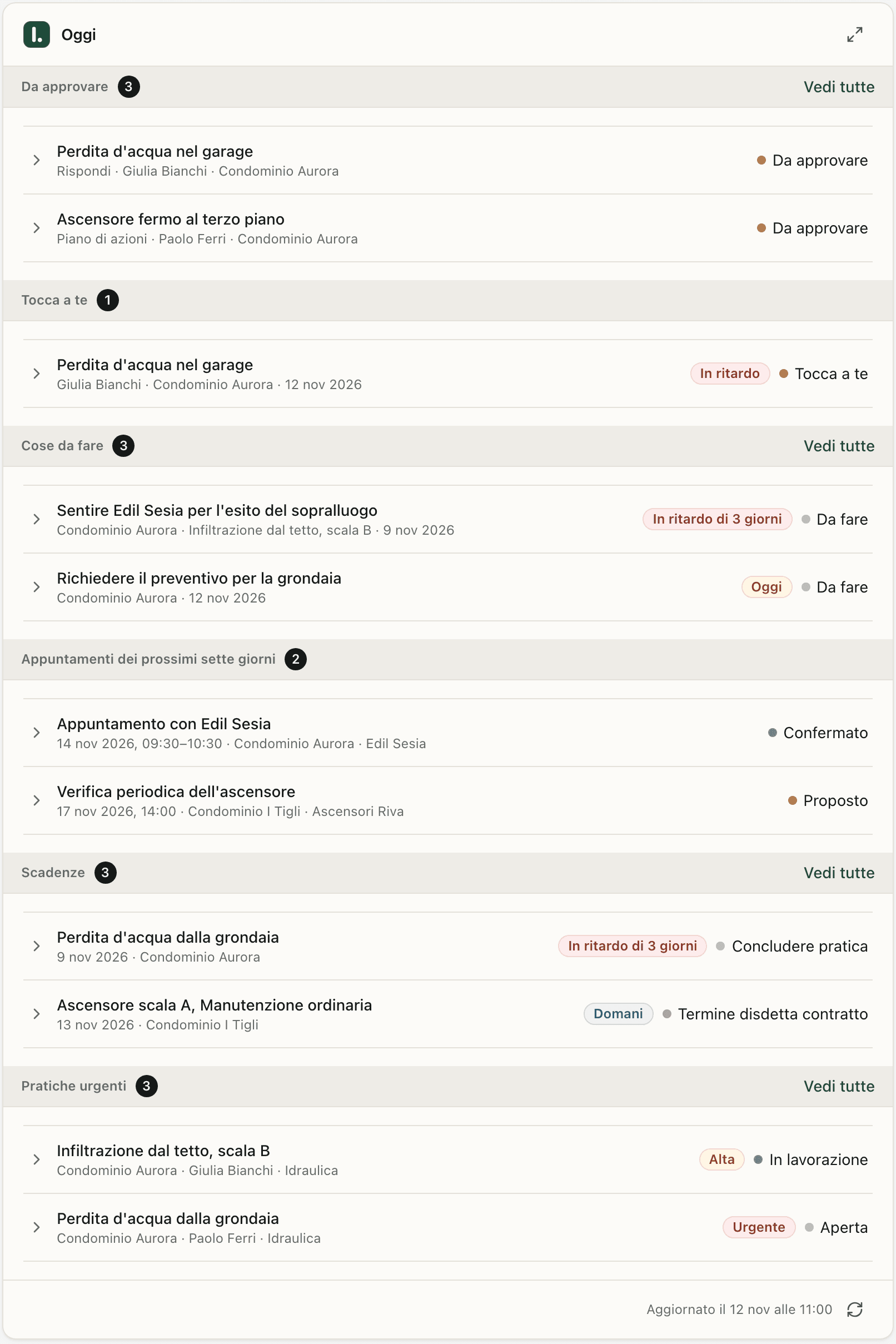
The day
Ask "Show me my day." The view gathers:
- Pronte, aspettano un sì (ready, waiting for your yes): the work Lia prepared that waits for your approval.
- Serve una tua decisione (needs your decision): what only you can decide.
- Cose da fare (to-dos).
- Appuntamenti dei prossimi sette giorni (appointments in the next seven days).
- Scadenze (deadlines).
- Pratiche urgenti (urgent cases).
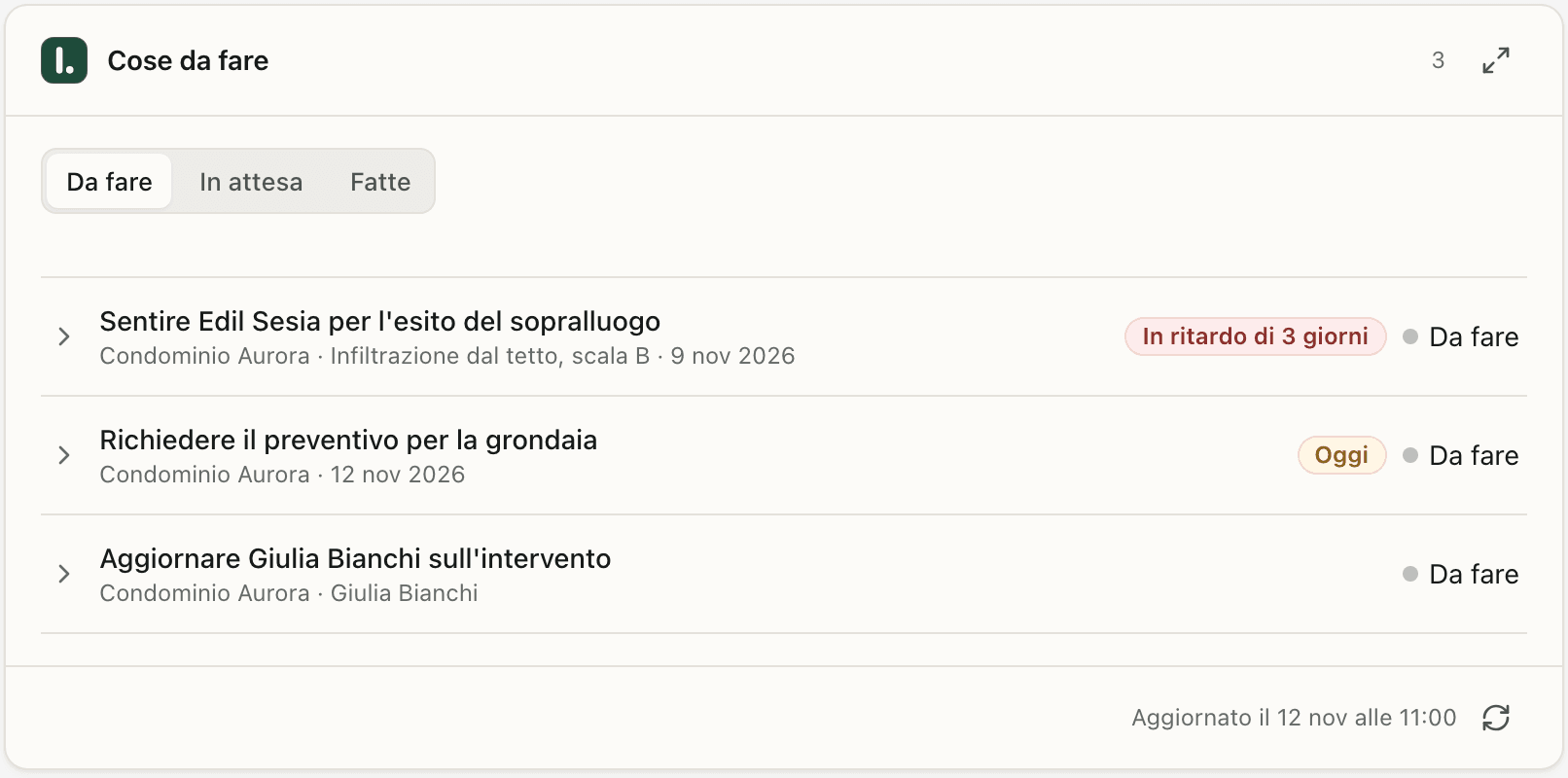
A list
Ask, for example, "Show me the to-dos." Each row states its status and what is late. A row opens in the same view.
One record
A case, an appointment or a document, with what hangs on it. From a related record you can open the next one and come back with Indietro (back).
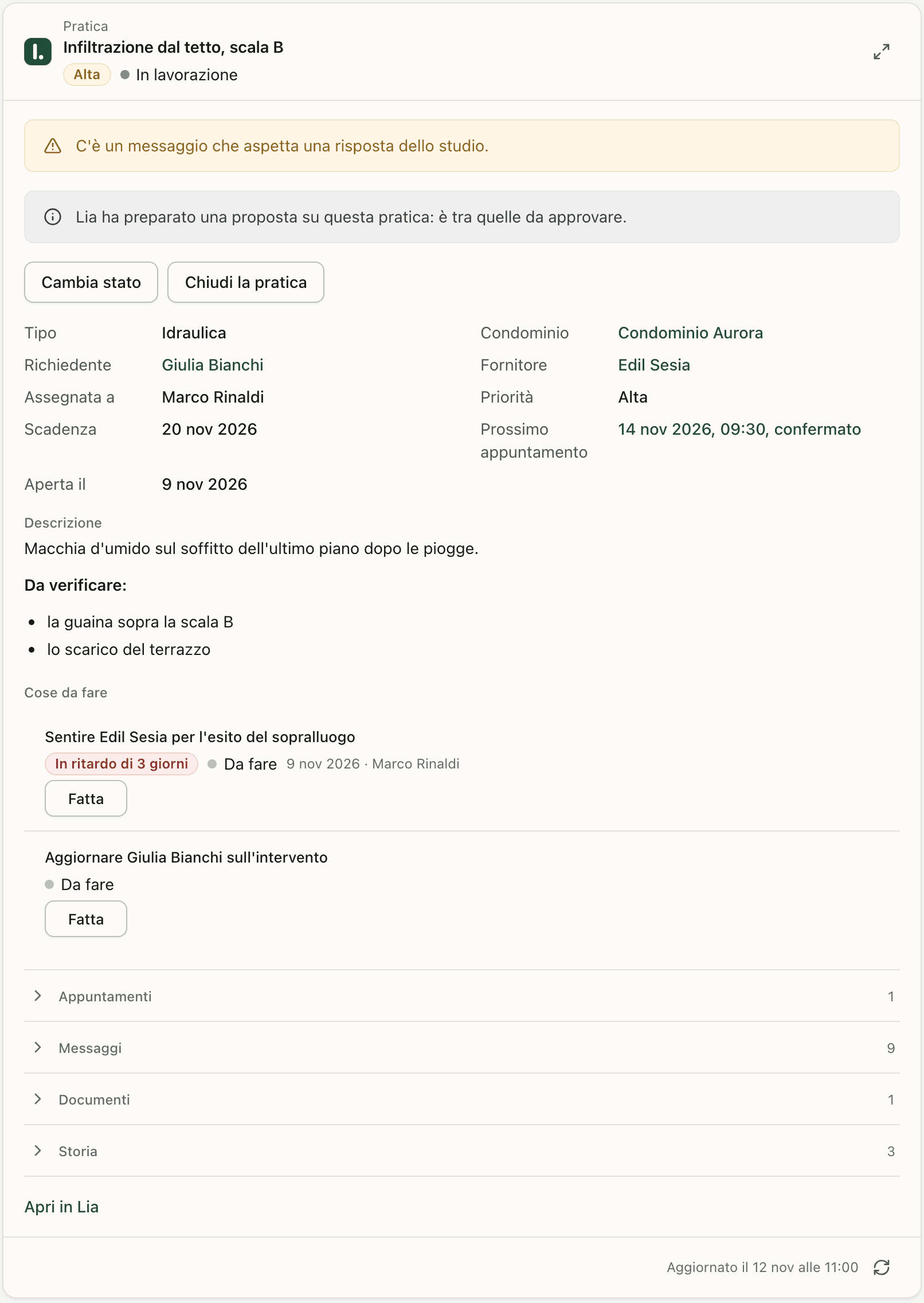
What you can do in the view
| On what | What you can do |
|---|---|
| To-do | Complete, postpone or cancel |
| Appointment | Confirm |
| Case | Move it on or close it |
| Lia's proposal | Approve or reject |
| Document | Download the file |
| Related record | Open it in the same view |
The view offers only the decisions the record allows at that moment and your role permits. A card shows its first two decisions, and Altro (more) shows the rest. Some ask for a detail first, such as the day to postpone to.
If someone changed the record in the meantime, the decision is not applied and the view tells you what happened.
The view stays current
While it is on screen, the view reads the data again by itself every few seconds. Its footer says when Lia read what you see.
If the card is taller than the space available, its footer shows Qui ne vedi una parte (you are seeing part of it) with Vedi tutto (see all), which opens it larger. Apri in Lia (open in Lia) takes the same record to the dashboard.
The upload view
The assistant opens it when you want to upload a file from your device.
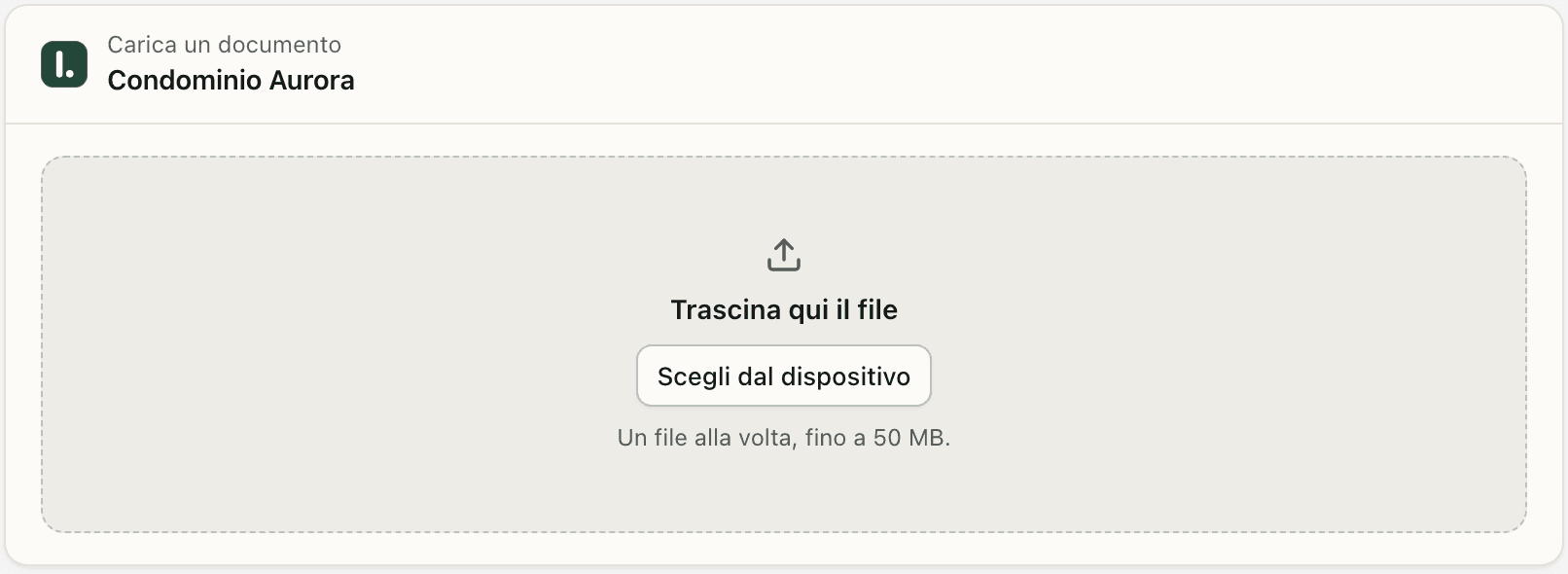
Say where the file goes
A building, one of its units, one of its cases, or the studio.
Choose the file
You choose the file in the view. The assistant cannot read your device.
Confirm
The document is created only after you confirm. The assistant receives a reference to the new document.
If the answer to the last step is lost, the view says it does not know whether the file was uploaded. You can retry without creating a duplicate.